

CAD to BIM Services
Convert 2D CAD drawings into accurate 3D BIM models for design coordination, analysis, and construction workflows
2D Drawings to Intelligent 3D BIM Models
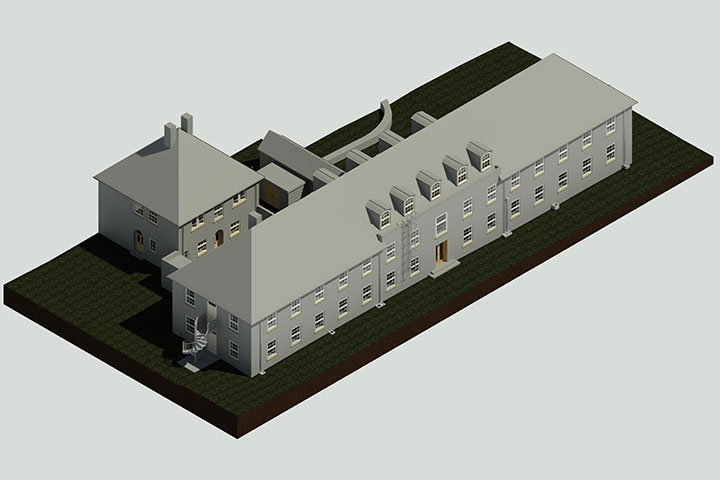
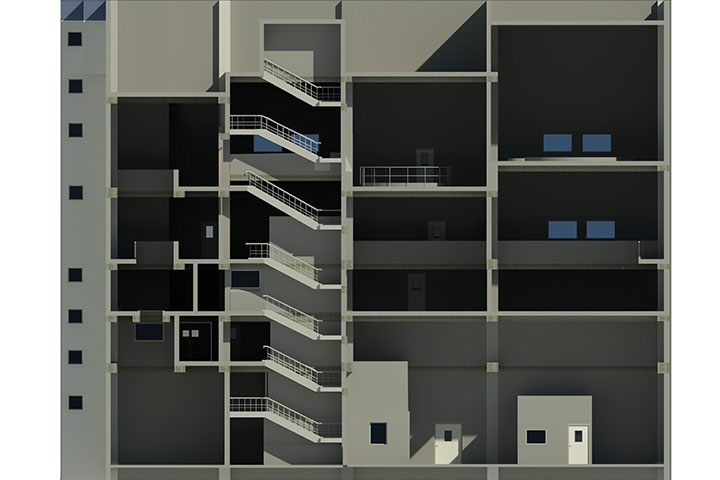
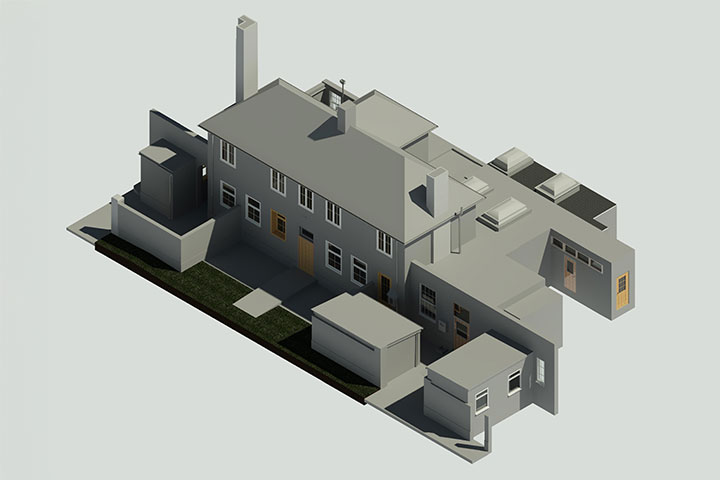
We provide CAD to BIM services to convert 2D drawings (.DWG / .DXF / .PDF) into intelligent 3D BIM models. Our team develops architectural, structural, and MEP BIM models with proper element classification, parameters, and geometry.
These BIM models are used for design development, clash detection, quantity takeoff, and construction documentation.
Our CAD to BIM services help you:
- Convert 2D CAD drawings to 3D BIM models
- Develop architectural, structural, and MEP BIM models
- Support design coordination and clash detection
- Enable quantity take-off and project planning
Why Clients Choose Our CAD to BIM Services
Structured Conversion from 2D to BIM
Convert CAD drawings into organized BIM models with proper element classification.
Multi-Discipline BIM Modelling
Supports architectural, structural, and MEP modelling from CAD inputs.
LOD-Based Model Development
Models delivered as per LOD 100–LOD 500 depending on project requirements.
Data-Rich BIM Models
Includes parameters, families, and system data for practical use.
Clash Detection Ready Models
Prepared for coordination workflows using federated models.
Reliable Workflow
Step-by-step conversion and validation ensures accurate BIM output.
Industries We Serve

Residential
Housing and apartment projects

Commercial
Office and mixed-use developments

Healthcare
Hospitals and clinics

Industrial
Plants and facilities

Infrastructure
Public and transport assets

Energy & Utilities
Power and utility systems

Retail & Entertainment
Malls and public spaces
Our CAD to BIM Workflow
01
Input Data Review (CAD Drawings)
Review:
- CAD files (.DWG / .DXF)
- PDF drawings
- Project scope and LOD requirements
02
CAD Cleanup and Standardization
Process drawings:
- Remove unnecessary layers
- Fix linework and scale
- Standardize units and coordinates
Output: Clean CAD files (.DWG)
03
BIM Project Setup
Set up:
- Project coordinates
- Levels and grids
- Templates and shared parameters
04
Architectural BIM Modelling
Develop:
- Walls, floors, ceilings
- Doors, windows
- Roof and façade elements
Output: Architectural BIM model (.RVT)
05
Structural BIM Modelling
Model:
- Columns, beams
- Slabs, foundations
- Structural framing
Output: Structural BIM model (.RVT)
06
MEP BIM Modelling
Create:
- HVAC systems (ducts, AHUs)
- Plumbing and piping
- Electrical systems (cable trays, conduits)
Output: MEP BIM model (.RVT)
07
Model Coordination and Clash Detection
Perform:
- Clash detection between disciplines
- Coordination checks
Output: Clash reports (.HTML / .XML / .NWD)
08
Parameterization and Data Structuring
Add:
- Family parameters
- System classification
- Equipment data
09
Quality Control and Validation
Verify:
- Model accuracy against CAD drawings
- LOD compliance
- Model completeness
10
Final Model Structuring and Delivery
Organize:
- Discipline-wise models
- Work sets and naming standards
- Project zones
Deliverables
Benefits of CAD to BIM Services
- Improved design visualization
- Better project coordination
- Faster clash detection
- Accurate quantity takeoffs
- Enhanced construction planning
- Improved project documentation
- Reduced design conflicts
- Better lifecycle management
Frequently Asked Questions
CAD to BIM converts 2D CAD drawings into intelligent 3D BIM models that include geometry, data, and coordination information.
Older buildings often have only 2D drawings, and CAD to BIM creates accurate digital models for renovation and maintenance planning.
BIM models enable better visualization and coordination between disciplines compared to disconnected 2D drawings.
Yes, BIM models store asset information that supports maintenance planning, space management, and future upgrades.
Accuracy depends on source data quality, and scan-verified CAD to BIM provides higher reliability.
Deliverables include BIM models, coordinated drawings, schedules, and digital as-built documentation.
BIM highlights clashes and inconsistencies early, reducing errors that often go unnoticed in 2D drawings.
Yes, BIM models help visualize existing layouts and plan modifications accurately during refurbishments.
Tools like Revit and other BIM platforms are used to convert CAD drawings into intelligent BIM models.
Improved coordination, reduced rework, and better data management help lower lifecycle project costs.
Start your CAD to BIM project today.
Need to convert your CAD drawings into accurate BIM models?
Share your CAD files and project details.
We will review and provide a clear scope, timeline, and deliverables.
Headquarters
Rajkot Office
Nr. Shreeji Gau Shala, B/h Tulip Party Plot
Premvati, Vavdi, Rajkot – 360004
India
Vadodara Office
3rd Floor, Siddharth Magnum Plus
Tarsali – Danteshwar Ring Road
Vadodara -390009
General Inquiries
© 2026 Fibrox 3D. All rights reserved. | Developed by SkyWebTech