

Revit Family Creation Services
Custom Revit Family Development for Architecture, Structure, and MEP Projects
High-Performance Parametric BIM Libraries
Revit family creation is a specialized BIM service focused on developing parametric, data-rich components that enhance model intelligence, accuracy, and usability. From architectural elements and structural components to complex MEP systems, our Revit family creation services ensure consistency, scalability, and compliance with BIM standards such as ISO 19650 and project-specific BIM Execution Plans (BEP).
WHAT WE DO
We design and develop high-performance Revit families tailored to project requirements, manufacturer specifications, and BIM standards. Our families are lightweight, fully parametric, and optimized for coordination, scheduling, and downstream BIM uses such as quantity takeoff, facility management, and digital twin integration.
Our services support:
- BIM standardization and content libraries
- Manufacturer-specific product families
- Project-specific parametric components
- MEP system families and equipment modeling
- Facility management-ready BIM assets
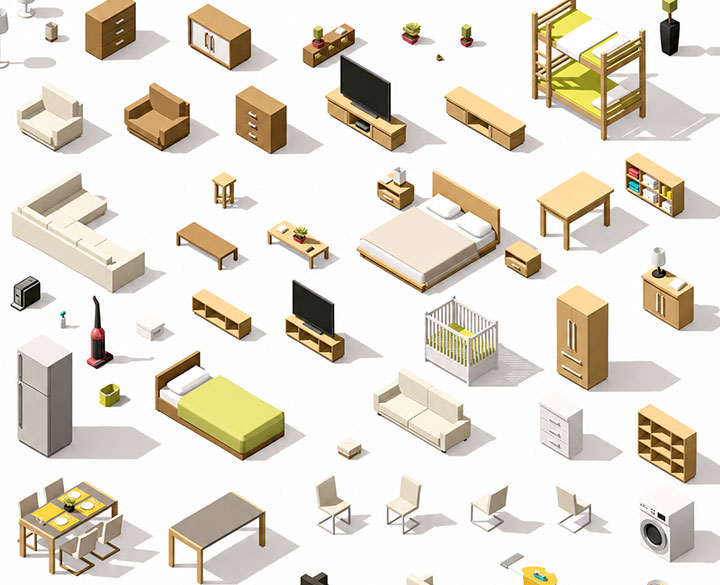
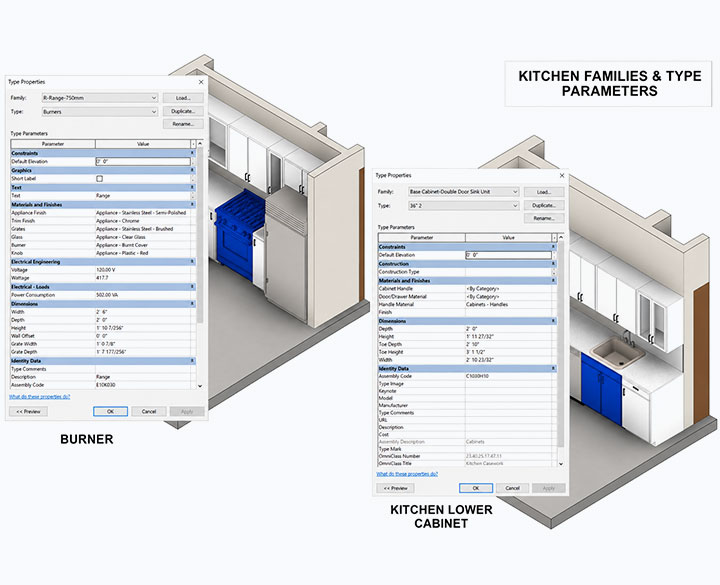
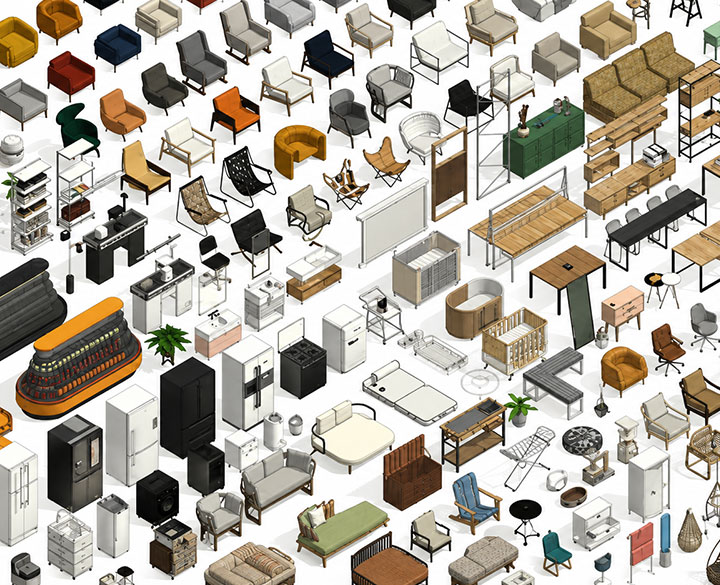
Types of Revit Families We Create
1. System Families
- Walls
- Floors
- Roofs
- Ceilings
2. Loadable Families
Custom-built reusable components
- Doors
- Windows
- Furniture
- Equipment
3. In-Place Families
Project-specific unique elements
- Complex geometry
- Bespoke Structures
Family Creation Approach
Basic Family Modelling
- Simple parametric control (height, width, depth)
- Minimal metadata and parameters
- Lightweight families for quick deployment
- Suitable for early-stage design and visualization
Advanced Parametric Family Development
- Fully parametric families with nested components
- Shared parameters aligned with BIM standards
- Manufacturer-specific data integration
- LOD-based detailing (LOD 200–400)
- IFC and COBie compliant data structure
Family Level of Detail (LOD)
From conceptual placeholders to fabrication-ready components — families built to the LOD your project demands.
Conceptual Representation
Basic shape and approximate size
Generic Parametric Family
Approximate geometry with basic parameters
Detailed Parametric Family
Accurate geometry and standardized parameters
Coordination-Level Family
Includes connections, clearances, and interfaces
Fabrication-Level Family
Manufacturer-specific, fully detailed with data
Revit Family Creation Workflow
01
1. Requirement Analysis
- Understand project scope, BEP, and LOD requirements
- Identify category, type, and usage of family
- Review manufacturer drawings/spec sheets (if applicable)
02
2. Template Selection & Setup
- Choose appropriate Revit family template (.RFT)
- Define reference planes and origin points
- Establish parametric constraints and dimensions
03
3. Parametric Modelling
- Build geometry using constraints and formulas
- Create adjustable parameters (instance/type)
- Ensure flexibility and scalability of design
04
4. Parameter & Data Integration
- Add shared parameters (COBie, IFC mapping)
- Define materials, finishes, and performance data
- Assign classification codes (Uniclass, OmniClass)
05
5. Nesting & Detailing
- Create nested families for complex assemblies
- Add symbolic lines and detail components
- Optimize visibility settings (LOD-based representation)
06
6. Testing & Validation
- Test parametric behaviour under multiple scenarios
- Check geometry flexibility and constraints
- Validate scheduling, tagging, and data extraction
08
7. Optimization & Delivery
- Purge unused elements and reduce file size
- Ensure performance optimization
- Deliver final .RFA files with documentation
Deliverables
Benefits of Revit Family Creation
- Standardized BIM content across projects
- Improved modelling speed and efficiency
- Accurate quantity takeoffs and schedules
- Enhanced coordination and clash detection
- Reduced model size and improved performance
- Better integration with digital twin and FM systems
Use Cases
- Manufacturer BIM content creation
- Project-specific custom components
- MEP equipment and system families
- Furniture and interior design elements
- Infrastructure and structural components
Quality Control & Standards
- ISO 19650 compliant BIM workflows
- BEP-aligned family structure
- Naming conventions and parameter standards
- Lightweight and performance-optimized families
- Interoperability with IFC and COBie
Frequently Asked Questions
It’s designing reusable 3D components in Revit for architecture, MEP, and structural projects to streamline BIM workflows.
Families standardize components, reduce repetitive work, and ensure consistent data across models for accurate designs.
Yes, custom families replicate specialized elements like furniture, machinery, or structural parts accurately in Revit.
Absolutely. Shared families maintain consistent standards across teams, enhancing project coordination and BIM efficiency.
Pre-built families reduce repetitive modeling, allowing designers to focus on layout, analysis, and client-specific needs.
Yes, properly saved families are compatible across versions, though testing may be needed for older releases.
Yes, parametric families allow dynamic changes like dimensions, materials, and rotations, making models adaptable.
Yes, Revit families include MEP components like ducts, pipes, and fixtures, aiding coordinated system design.
Definitely, families scale to large buildings or infrastructure, ensuring efficiency and consistency across complex projects.
Detailed 3D families enhance realistic rendering, client presentations, and design evaluation in Revit models.
A parametric family allows dimensions and properties to change dynamically using parameters and constraints.
Yes, we develop BIM-ready families based on manufacturer specifications and technical data sheets.
Yes, all families follow ISO 19650, IFC, and COBie standards where required.
Yes, our families are designed to be reusable and scalable across different BIM projects.
Build a high-performance BIM content library with custom Revit families.
Share your requirements, product specifications, or project scope to receive a structured family development plan within 48 hours.
Headquarters
Rajkot Office
Nr. Shreeji Gau Shala, B/h Tulip Party Plot
Premvati, Vavdi, Rajkot – 360004
India
Vadodara Office
3rd Floor, Siddharth Magnum Plus
Tarsali – Danteshwar Ring Road
Vadodara -390009
General Inquiries
© 2026 Fibrox 3D. All rights reserved. | Developed by SkyWebTech